What is JWT Token? Complete Guide for Beginners 2026
NovaEdge Tech Analyst
Lead Strategist
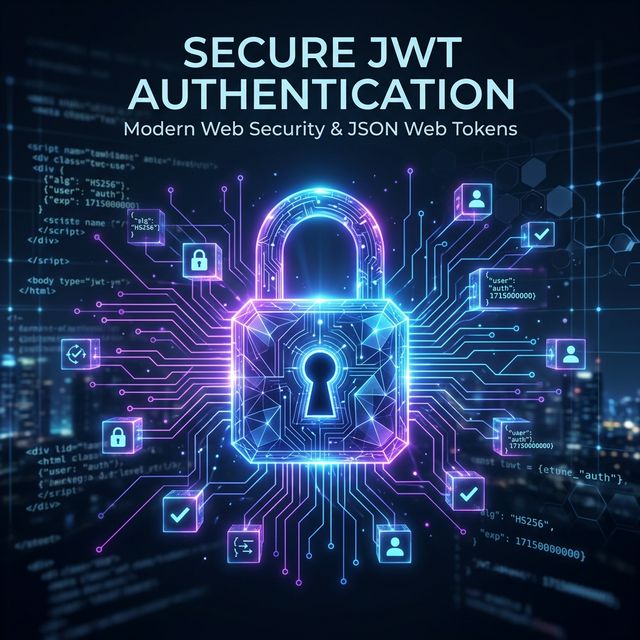
JWT tokens explained simply — what they are, how they work, how to decode them, and when to use them. Complete guide with real code examples for beginners.
What is JWT Token? Complete Guide for Beginners
1. Introduction: Solving the Authentication Puzzle
If you've ever built a website or an app that requires a login, you've encountered a fundamental problem: how does the server remember who you are? Back in the early days of the web, this was solved using Sessions. The server would give you a 'ticket' (a session ID), keep a copy of that ticket in its memory, and every time you visited a new page, it would check its memory to see if your ticket was valid.
But as the internet grew, this 'memory-based' approach started to break. Imagine a massive site like Netflix or Amazon. They don't have just one server; they have thousands spread across the globe. If Server A in Mumbai has your session ticket, but your next click goes to Server B in London, Server B has no idea who you are! Synchronizing this memory across thousands of servers became a nightmare for developers.
Enter the JSON Web Token (JWT). Instead of the server keeping a record of your login, it gives you a digital, tamper-proof ID card that you carry around. This card contains all your information, and it's signed with a secret key so the server can verify it instantly without needing to check any database or shared memory. In 2026, JWT has become the industry standard for securing APIs, mobile apps, and microservices.
In this guide, we're going to demystify JWT from the ground up. Whether you're a complete beginner or a junior developer looking to sharpen your security skills, this guide will take you through the 'what,' 'why,' and 'how' of JSON Web Tokens. By the end, you'll not only understand the theory but also how to implement and secure them in real-world applications. Let's dive in!
2. What is a JWT Token? (Explain Like I'm 15)
Let's strip away the technical jargon for a moment. Digital security can sound like a foreign language, but at its heart, a JWT is just a modern hotel key card.
Think about it: When you check into a hotel, you go to the front desk. You show your ID (username and password), and they verify your identity. Instead of the receptionist following you around the hotel to open every door for you, they hand you a plastic card. That card contains specific 'data'—your room number, the date your stay expires, and perhaps access to the gym or the pool.
The hotel's card-reading machine doesn't need to call the front desk every time you swipe. It just looks at the card, verifies that it was 'signed' (encrypted) by the hotel's system, and checks if your room number matches. That card is your 'token.' Once you have it, you can move around freely without talking to the receptionist again until your stay is over. That is exactly how a JWT works in an application.
JSON Web Token (JWT) is an open standard (RFC 7519) that defines a compact and self-contained way for securely transmitting information between parties as a JSON object. This information is verified and trusted because it is digitally signed. JWTs can be signed using a secret (with the HMAC algorithm) or a public/private key pair using RSA or ECDSA.
Where is it used? - Authorization: This is the most common use case. Once the user is logged in, each subsequent request will include the JWT, allowing the user to access routes, services, and resources that are permitted with that token. - Information Exchange: JWTs are a great way of securely transmitting information between parties. Because JWTs can be signed—for example, using public/private key pairs—you can be sure that the senders are who they say they are. Additionally, as the signature is calculated using the header and the payload, you can also verify that the content hasn't been tampered with.
3. The JWT Structure: Anatomy of a Token
A JWT might look like a random jumble of letters and numbers, but it's actually very organized. If you've ever seen one, it usually looks something like this:
eyJhbGciOiJIUzI1NiIsInR5cCI6IkpXVCJ9.eyJzdWIiOiIxMjM0NTY3ODkwIiwibmFtZSI6IkpvaG4gRG9lIiwiaWF0IjoxNTE2MjM5MDIyfQ.SflKxwRJSMeKKF2QT4fwpMeJf36POk6yJV_adQssw5c
Wait! Don't let that string scare you. If you look closely, you'll notice it's divided into three distinct parts separated by dots (.):
- Header (Red/Purple portion)
- Payload (Blue/Green portion)
- Signature (Yellow/Orange portion)
Part 1: The Header
The header typically consists of two parts: the type of the token, which is JWT, and the signing algorithm being used, such as HMAC SHA256 or RSA.
For example:
`json
{
"alg": "HS256",
"typ": "JWT"
}
`
Then, this JSON is Base64Url encoded to form the first part of the JWT. Base64Url encoding is just a way to turn this data into a string that can be easily sent over the internet.
Part 2: The Payload
The second part of the token is the payload, which contains the claims. Claims are statements about an entity (typically, the user) and additional data. There are three types of claims: registered, public, and private claims.
- Registered claims: These are a set of predefined claims which are not mandatory but recommended, to provide a set of useful, interoperable claims. Some of them are: iss (issuer), exp (expiration time), sub (subject), aud (audience), and others.
- Public claims: These can be defined at will by those using JWTs. But to avoid collisions they should be defined in the IANA JSON Web Token Registry or be defined as a URI that contains a collision resistant namespace.
- Private claims: These are the custom claims created to share information between parties that agree on using them and are neither registered nor public claims.
An example payload could be:
`json
{
"sub": "1234567890",
"name": "John Doe",
"admin": true,
"iat": 1516239022
}
`
The payload is also Base64Url encoded to form the second part of the JSON Web Token. CRITICAL WARNING: This data is not encrypted! Anyone who sees this token can decode the payload. Never put passwords or sensitive information inside a JWT payload unless you are using additional encryption (JWE).
Part 3: The Signature
To create the signature part you have to take the encoded header, the encoded payload, a secret, the algorithm specified in the header, and sign that.
For example, if you want to use the HMAC SHA256 algorithm, the signature will be created in the following way:
HMACSHA256(base64UrlEncode(header) + "." + base64UrlEncode(payload), secret)
The signature is used to verify that the sender of the JWT is who it says it is and to ensure that the message wasn't changed along the way. Think of it like a wax seal on a letter. If the seal is broken or looks different, you know someone has messed with the contents.
4. How JWT Works: A Step-by-Step Walkthrough
Now that we know what a JWT looks like, let's see it in action. How does a browser talk to a server using JWT? This process is often called the Authentication Flow. Here is exactly what happens when you log into a modern application in 2026:
- User Logs In: You enter your username and password into a login form on a website. Your browser sends this information to the server (hopefully via a secure HTTPS connection).
- Server Verifies Credentials: The server checks its database to see if the username and password are correct. If they match, the authentication is successful.
- Token Generation: Instead of creating a session on the server, the server generates a JWT. It takes your User ID, maybe your role (like 'admin'), and an expiration date, puts them in the payload, and signs it with its top-secret private key.
- Token Sent to Client: The server sends this JWT back to your browser. It's usually sent as part of the JSON response or in a secure cookie.
- Storage: Your browser stores this JWT. Most developers store it in LocalStorage or an HttpOnly Cookie (we'll discuss which is safer later!).
- Subsequent Requests: Every time you click a button or visit a new page that requires you to be logged in, your browser automatically sends the JWT back to the server. Usually, it's sent in the 'Authorization' header like this:
Authorization: Bearer <token>. - Server Verification: When the server receives the request, it extracts the JWT. It doesn't need to look at its database! It just uses its secret key to verify the signature. If the signature is valid and the token hasn't expired, the server knows exactly who you are and processes your request.
- Access Granted: The server sends back the data you requested (like your profile information or your latest orders).
This 'stateless' nature is why JWT is so powerful. The server doesn't need to 'remember' you. It just needs to 'trust' the token you're carrying. If your application scales from one server to a hundred, any of those hundred servers can verify your token instantly as long as they all share the same secret key.
5. Practical Implementation: JWT in the Real World
Theory is great, but let's look at some real code. How do you actually generate and verify a JWT? Most developers use libraries because implementing the cryptography yourself is risky and prone to errors. In the JavaScript ecosystem, the most popular library is jsonwebtoken.
Step 1: Installing the Library
First, you'll need to install the library in your Node.js project:
npm install jsonwebtoken
Step 2: Generating a Token (Signing)
Here is how a server-side route might generate a token after a successful login:
Step 3: Verifying a Token
When the client sends the token back, the server needs to verify it before allowing access to a protected route:
6. JWT vs. Traditional Sessions: Which should you choose?
One of the most common questions beginners ask is: 'Why not just use cookies and sessions like we always did?' It's a valid question. The answer depends on your project's scale, architecture, and security requirements. Let's look at the key differences in 2026:
| Feature | Session-Based (Stateful) | JWT-Based (Stateless) |
|---|---|---|
| Storage | Sever-side (Memory or DB) | Client-side (LocalStorage or Cookie) |
| Scalability | Hard (Requires session syncing) | Easy (No server-side storage) |
| Payload | Just an ID | Whatever data you want |
| Revocation | Easy (Just delete from DB) | Hard (Requires blacklist or wait for expiry) |
| Security | Vulernable to CSRF | Vulnerable to XSS (if in LocalStorage) |
| Performance | Slower (Database lookups) | Faster (CPU-only verification) |
The Winner? There isn't one. If you are building a simple monolithic website, Sessions are often simpler and safer because they are easier to revoke. If you are building a modern SPA (Single Page Application) with a separate API on a different domain, or if you are moving toward a microservices architecture, JWT is almost certainly the way to go.
7. JWT Security Best Practices: Protecting Your Application
Security is not a final destination; it's a process. When using JWT, there are several 'traps' that beginners often fall into. If you want to build professional-grade applications in 2026, you must follow these best practices religiously.
1. Never Store Sensitive Data in the Payload
We've said it before, but it bears repeating: JWT payloads are not encrypted by default. They are only Base64 encoded. Anyone with your token can paste it into a site like jwt.io and see exactly what's inside. Never store passwords, social security numbers, or sensitive financial data in a JWT.
2. Choose a Strong Secret Key
If your secret key is 123456 or password, a hacker can use 'brute force' to guess your key and start signing their own fake tokens. Use a long, random string (at least 64 characters) and store it safely in your environment variables (.env file).
3. Always Set an Expiration Time (`exp`)
A token without an expiration date is a permanent key to your house. If it gets stolen, the thief has access forever. Always set a short expiration time (e.g., 15 minutes to 1 hour) for access tokens.
4. Use HTTPS Always
Tokens are sent over the network. Without HTTPS, a 'man-in-the-middle' attack can intercept your token while it's in transit. In 2026, there is no excuse for not using SSL/TLS.
8. Common Myths and Misconceptions about JWT
As with any popular technology, there's a lot of misinformation about JWT. Let's clear up some of the most common myths we hear at NovaEdge.
Myth #1: 'JWT is more secure than sessions.' Truth: Not necessarily. JWT and sessions are just different ways of moving data. If you implement JWT poorly (like storing it in LocalStorage without XSS protection), it can be less secure than a traditional session.
Myth #2: 'You can't logout with JWT.' Truth: You can, but it requires a different mindset. On the client side, you simply delete the token. If you need the server to immediately invalidate a token, you'll need to maintain a database of 'blacklisted' tokens until they expire.
Myth #3: 'JWT tokens are too big.' Truth: While they are larger than a 32-character session ID, modern networks and browsers handle a few hundred bytes of token data with zero perceptible latency.
9. Advanced Topics: Refresh Tokens and JWE
Once you've mastered the basics, you'll want to explore the more advanced features of the JWT ecosystem.
- Refresh Tokens: These are used to get a new access token without making the user log in again. You give the user a short-lived Access Token (15 mins) and a long-lived Refresh Token (7 days). If the access token expires, the client uses the refresh token to get a new one from a special 'refresh' endpoint.
- JWE (JSON Web Encryption): If you absolutely must store sensitive data in your token, JWE allows you to encrypt the entire payload so that only the intended recipient can read it.
- JWKS (JSON Web Key Set): Used in larger organizations and OAuth2 providers (like Google or Auth0) to share public keys for verifying tokens across different services.
10. Conclusion: The Future of Web Security
JSON Web Tokens have revolutionized the way we think about distributed systems and modern web development. By moving authentication data from the server's memory to a self-contained, signed token, developers converted a complex infrastructure problem into a simple, scalable solution.
However, as with any tool, the power of JWT comes with responsibility. Understanding the structure, mechanics, and security implications is what separates a beginner from a professional engineer. We've covered a lot today, from hotel key cards to Node.js implementations and security blacklists.
As you move forward in your development journey, remember that the most important part of any application isn't just that it works, but that it is safe. Use JWT wisely, keep your secrets secret, and always stay updated with the latest security research.
Ready to start building? Grab a JWT library for your favorite language and try implementing a simple login flow today. The best way to learn is by doing. Happy coding from the team at NovaEdge Digital Labs!
11. JWT Libraries: Tools for Every Language
While we used JavaScript for our earlier example, the beauty of JSON Web Tokens is that they are language-agnostic. Because the structure is based on the universal JSON and Base64 standards, you can find a mature, well-tested JWT library for almost every programming language in existence today. At NovaEdge, we have used JWT across a variety of tech stacks. Here is a breakdown of the top libraries you should consider for your next project.
JavaScript / Node.js: jsonwebtoken
As we discussed, jsonwebtoken is the gold standard for the Node.js ecosystem. It is maintained by the community and supported by companies like Auth0. It handles everything from simple HMAC signing to complex RSA and ECDSA key pairs. For frontend applications using React or Vue, you might also look at jwt-decode, a lightweight library specifically designed for decoding (but not verifying) tokens on the client side.
Python: PyJWT
For Python developers, PyJWT is the most prominent library. It is widely used in web frameworks like Django and Flask. It provides a clean, Pythonic API for encoding and decoding tokens. One of the best features of PyJWT is its strict validation of registered claims like exp (expiration) and nbf (not before), ensuring your tokens are always used within their intended timeframe.
Java: jjwt (Java JWT)
The most popular library in the Java ecosystem is jjwt. It is designed specifically for Java, Android, and other JVM languages. It has excellent support for custom claims and provides a fluent API that makes token creation feel natural for Java developers. For those using the Spring Framework, Spring Security has built-in support for JWT that integrates seamlessly with its authentication filters.
Go: golang-jwt/jwt
Go (or Golang) is famous for its performance, and the golang-jwt/jwt library matches that philosophy. It is highly optimized and provides a low-overhead way to handle tokens in high-concurrency environments. It is the standard choice for microservices written in Go, which often rely on JWT for stateless inter-service communication.
C# / .NET: System.IdentityModel.Tokens.Jwt
Microsoft has made JWT a first-class citizen in the .NET ecosystem. The System.IdentityModel.Tokens.Jwt package is the official way to handle JSON Web Tokens in ASP.NET Core. It provides tight integration with the built-in authentication middleware, making it remarkably easy to secure your C# APIs with just a few lines of configuration in your Program.cs file.
12. Deep Dive: Understanding JWT Claims
Claims are the heart of the JWT. They are the 'statements' that the token is making about the user or the session. While we touched on them earlier, understanding the nuances of how claims work is essential for building a robust security system.
Registered Claims: The Standard Subset
These are claims that are defined in the RFC 7519 specification. They aren't required, but you should use them whenever possible to ensure your tokens are compatible with other systems. Here are the most important ones:
- iss (Issuer): Identifies who issued the token. This could be your server URL or a service like Auth0.
- sub (Subject): The unique identifier for the user (like their Database ID or UUID).
- aud (Audience): Identifies where this token is intended to be used. For example, if you have a web app and a mobile app, you might issue different tokens for each audience.
- exp (Expiration Time): The most important claim. Specifies exactly when the token becomes invalid (in Unix time).
- nbf (Not Before): The exact time before which the token should not be accepted. Used for scheduling future access.
- iat (Issued At): The time when the token was created. Useful for calculating how old a token is.
- jti (JWT ID): A unique identifier for the token itself. Useful for preventing 'replay attacks' where a hacker tries to use the same token twice.
Public and Private Claims: Customizing Your Token
Public claims are intended to be shared across many different systems. To avoid name collisions, the standard suggests using a URI (like https://novaedge.io/claims/is_premium) or registering them in the IANA registry.
Private claims are much simpler. They are custom fields you define for your own application. For example, you might add "organization_id": "org_123" or "department": "engineering". Just be careful not to create a claim name that overlaps with a registered one!
13. How to Debug and Test Your JWTs
When you're first implementing JWT, things will inevitably go wrong. Maybe your token isn't being accepted, or you're getting a 'JsonWebTokenError: invalid signature' message. Here is how a pro developer debugs their tokens in 2026.
The Essential Tool: jwt.io
The first place every developer goes is jwt.io. It is a free, browser-based debugger provided by Auth0. You can paste any token into the interface, and it will instantly decode the Header and Payload. You can even paste your Secret Key to verify if the signature matches. It's the 'Swiss Army Knife' of JWT development.
Browser DevTools
Check your browser's Network tab. Look at the 'Headers' of your outgoing requests. Are you sure you're sending the token in the correct format (Bearer <token>)? Often, bugs are caused by simple typos in the header name or the prefix.
Also, check the Application tab. If you are storing your token in LocalStorage or Cookies, you can see them right there. If the token is missing, your frontend code might not be saving it correctly after login.
14. Common JWT Implementation Mistakes to Avoid
Even with the best intentions, it's easy to make mistakes when implementing JWT. These errors can range from minor bugs to massive security vulnerabilities. Here at NovaEdge Digital Labs, we have audited dozens of applications, and we consistently see the same three mistakes being made. If you avoid these, you will be ahead of 90% of other developers.
The 'None' Algorithm Attack
This is one of the most famous JWT vulnerabilities. In early JWT libraries, it was possible to set the alg header to none. If a server didn't explicitly check for this, it would accept the token without verifying the signature at all! This allowed hackers to simply change the payload to "admin": true, set the algorithm to none, and log in as anyone. Fix: Modern libraries like jsonwebtoken now block the 'none' algorithm by default, but you should always ensure your server explicitly specifies the allowed algorithms when verifying.
Algorithm Confusion Attacks
This happens when a server is configured to use an Asymmetric algorithm (like RSA) with a public/private key pair, but a hacker sends a token signed with the Symmetric algorithm (HMAC) using the public key as the secret. If the server isn't careful, it may try to verify the HMAC signature using its RSA public key as the 'secret,' which would successfully validate the forged token. Fix: Always specify exactly which algorithm you are expecting during the verification step.
Storing Tokens in LocalStorage Without Protection
Many tutorials tell you to store JWTs in localStorage. The problem? Any JavaScript running on your page (including third-party analytics or ads) can read everything in localStorage. This is called a Cross-Site Scripting (XSS) attack. Fix: Whenever possible, store tokens in an HttpOnly cookie. This makes the token invisible to JavaScript and provides a massive boost to your security posture.
15. The Evolution: What comes after JWT?
As we head deeper into 2026, the technology landscape continues to shift. While JWT is currently the king of authentication, new standards are emerging to address some of its inherent weaknesses, particularly around security and simplicity.
Paseto: Platform-Agnostic SEcurity TOkens
Paseto is a modern alternative to JWT that aims to be 'impossible to use insecurely.' Unlike JWT, where you have to choose an algorithm (which leads to the confusion attacks we mentioned), Paseto uses 'versions' and 'purposes.' You don't choose the math; the library does the safest math for you. It's gaining a lot of traction among security-first organizations.
OAuth 2.1 and OIDC
The industry is also moving toward OpenID Connect (OIDC), which is a layer on top of OAuth 2.0. OIDC uses JWT as its core 'ID Token' format but adds a standard set of claims and discovery mechanisms. For most developers, using an OIDC provider (like Google or Azure AD) is safer than building your own JWT implementation from scratch because they handle the complex security rotations and key management for you.
Frequently Asked Questions
About NovaEdge Tech Analyst
NovaEdge Digital Labs is a team of designers, developers, and strategists dedicated to pushing the boundaries of digital innovation in 2026.
Learn more about the team