What Happens After Your Website Goes Live? (Maintenance Guide)
NovaEdge Tech Team
Lead Strategist
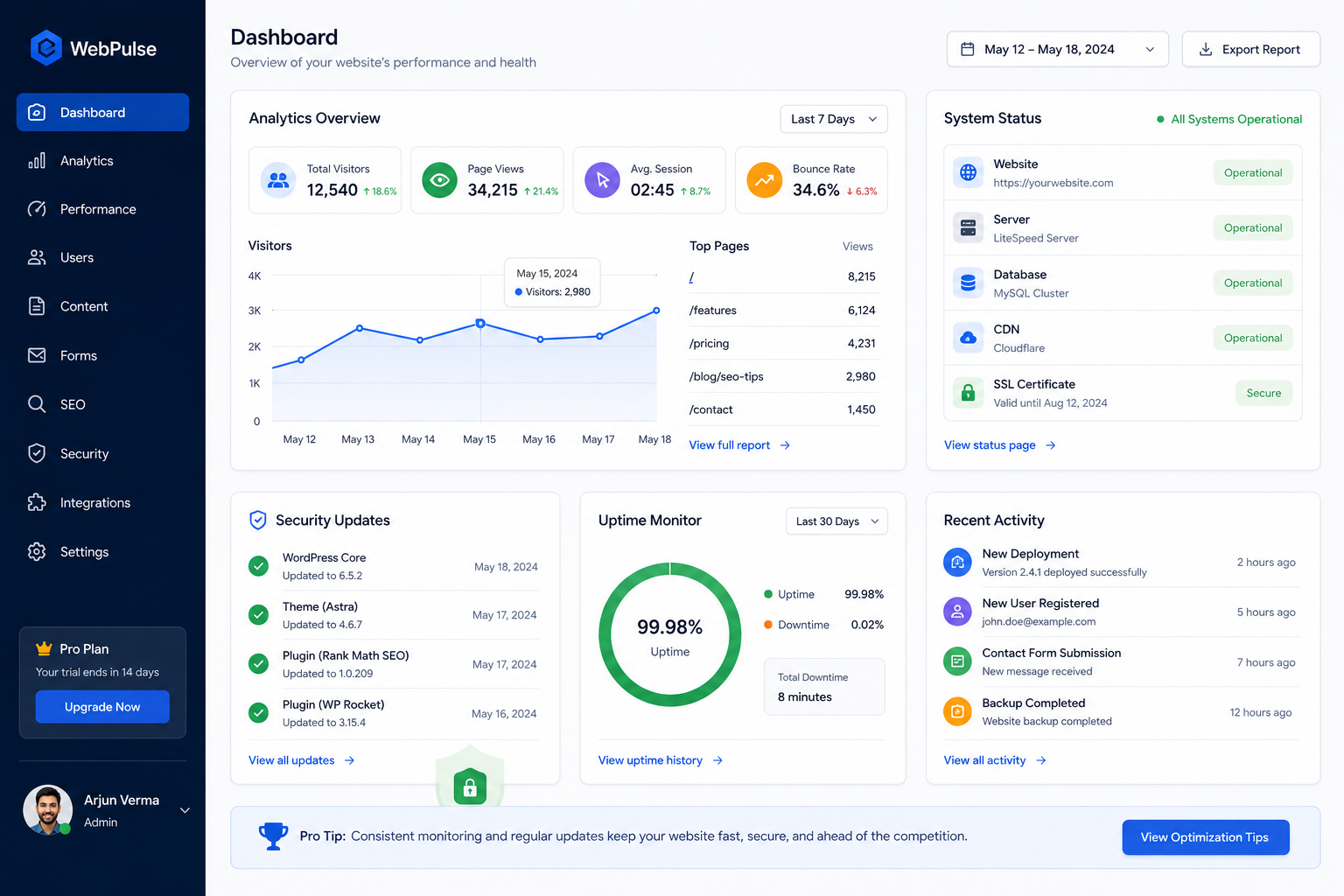
Launching a website is a massive milestone, but it is not the finish line. Just like a new car, a website needs regular maintenance to run smoothly, stay secure, and keep attracting visitors. Here is what happens after you hit publish.
Imagine spending months designing, building, and refining a new website. You discuss font choices, debate the placement of buttons, write copy, and test every form. Finally, the big day arrives. You hit the publish button, share the link, and toast to a successful launch. It feels like the project is complete. You think you can finally step back, cross it off your list, and let it run on autopilot.
This is a common misconception. Launching a website is not the finish line; it is the starting line. A website is not a digital billboard that you set up once and leave alone. It is more like a new car. If you buy a brand-new vehicle and drive it off the lot, you do not expect it to run perfectly forever without oil changes, tire rotations, and engine checks. If you ignore regular maintenance, the car will eventually slow down, develop problems, and break down. Your website behaves the exact same way.
Once a website goes live, it enters a continuous cycle of updates, optimization, security checks, and content management. If you neglect this cycle, you will quickly notice a drop in performance, a rise in broken links, and potentially, security vulnerabilities that could compromise your business. This guide breaks down exactly what happens after your website goes live and provides a practical roadmap to help you keep your digital presence running smoothly.
The First 24 Hours: Post-Launch Verification
Even with rigorous testing before launch, the live environment is always different from staging. Within the first twenty-four hours of your website going live, you must run verification checks to ensure everything works as intended under real-world conditions.
First, test all functional elements. Fill out every contact form, sign up for your own newsletter, and complete a test purchase if you run an e-commerce store. Check if the notification emails reach your inbox and see if the customer data goes to your internal database or CRM platform. It is common for email servers or third-party connections to fail when migrating from a staging URL to a live domain.
Second, set up your analytics and tracking tools immediately. Do not wait a week to install Google Analytics and Google Search Console. If you do, you lose valuable data about how your initial launch traffic behaves. These tools show you how visitors navigate your pages, where they drop off, and which search queries bring them to your site. Getting this tracking set up on day one gives you a baseline to measure all future growth.
Finally, submit your new sitemap to search engines. While search engines will eventually find your site on their own, submitting your sitemap directly through Google Search Console alerts their bots to crawl your pages immediately. This speeds up the process of getting your website indexed and ranking in search results.
Security: Keeping the Digital Doors Locked
The moment your website goes live, it becomes visible to the entire internet. This includes search engines, potential customers, and automated malicious bots. These bots continuously scan the web looking for websites with outdated software, weak passwords, and misconfigured servers. They do not care about the size of your business; they simply look for easy targets to exploit for spam, data theft, or hosting malicious code.
To keep your site secure, software updates must be your top priority. Whether you use a content management system like WordPress, a headless setup, or custom-built frameworks, you must update the core system, plugins, and libraries regularly. Developers constantly release updates to patch security vulnerabilities. If you leave your site unpatched for months, you are leaving your digital doors unlocked.
Another crucial aspect of security is SSL certificate management. An SSL certificate encrypts the data sent between your visitor's browser and your website server, showing the padlock icon and 'https' in the address bar. Most modern hosting providers offer automated SSL renewals, but these systems can fail. If your certificate expires, browsers will display a prominent warning warning visitors that your site is not secure. This ruins user trust instantly. You should monitor your certificate status regularly to prevent unexpected expirations.
Lastly, enforce strong password policies for anyone who has access to your website's backend. Do not reuse passwords across multiple platforms, and always enable two-factor authentication where available. Regularly audit user accounts and remove access for former employees, freelance developers, or agency partners who no longer need access to your site.
Backup Systems: Your Digital Safety Net
No matter how secure your website is, things can still go wrong. A server upgrade might fail, a plugin update could break your database, or a human error could accidentally delete critical files. When these situations occur, having a recent, working backup is the difference between a minor setback and a business catastrophe.
Many business owners assume their hosting provider handles backups. While many hosts do offer this service, relying solely on them is a dangerous gamble. If the server hosting your website experiences a hardware failure, your backups stored on that same server could be lost. If your hosting account gets suspended or hacked, you might lose access to your backup files when you need them most.
Instead, implement the 3-2-1 backup strategy. Keep three copies of your website: the live version, a primary backup, and a secondary backup. Store these backups on two different types of media, such as local storage and cloud storage. Most importantly, store at least one backup off-site in a completely separate location, like an independent cloud service. This ensures that even if your hosting provider goes offline, you still possess a copy of your files and database ready to restore elsewhere.
It is also not enough to simply create backups; you must test them. A backup is only useful if it can be successfully restored. Once a quarter, try restoring a backup of your website to a staging environment to ensure the process works smoothly and all pages load correctly. This practice gives you peace of mind and ensures you know exactly what to do if an emergency arises.
Performance and Speed: Maintaining the Fast Lane
A fast website is essential for a good user experience and high search engine rankings. Search engines prioritize fast-loading sites, and visitors will quickly abandon a page if it takes more than a couple of seconds to load. However, websites tend to slow down over time as you add new content, upload unoptimized media, install plugins, and accumulate database bloat.
To keep your website running fast, you must actively manage its assets. When you upload images for blog posts or product pages, ensure they are compressed and saved in modern formats like WebP. Large, uncompressed image files are one of the most common causes of slow page load times. Additionally, implement lazy loading, which prevents images from loading until a user scrolls down to them, saving bandwidth and speed on the initial page load.
Another common cause of performance degradation is database bloat. Every time someone submits a form, edits a page, leaves a comment, or updates a product, your database stores that transaction. Over time, this data accumulates and slows down query times. Regularly clean up database revisions, spam comments, and old transient options to keep your database lean and responsive.
You should also monitor your Core Web Vitals regularly. These are specific speed metrics that Google uses to evaluate user experience, including how quickly the main content loads, how fast the page becomes interactive, and whether layout elements shift unexpectedly as the page loads. Free tools like Google PageSpeed Insights can help you track these metrics and identify specific areas for improvement.
Content and SEO Maintenance: Keeping Your Site Visible
A website's visibility on search engines is not permanent. Search algorithms change constantly, competitors publish new content, and your own website's links can break over time. If you want to maintain and improve your search rankings, you must treat search engine optimization as an ongoing task.
One of the most common issues that arises over time is link rot. As you change page URLs, delete old posts, or link to external sites that shut down, your website will accumulate broken links. Visitors who click these links will see a frustrating 404 error page, which harms both user experience and your search engine authority. Use tools like broken link checkers to scan your website monthly and fix or redirect any broken links you find.
Content freshness is another major ranking factor. Search engines prefer sites that are active and up-to-date. If you have old blog posts that receive traffic, review them periodically to update outdated statistics, add new insights, and check that all external links are still relevant. Updating existing content is often faster and more effective for SEO than writing completely new posts from scratch.
Furthermore, monitor your search engine impressions and clicks. Google Search Console will show you which keywords bring visitors to your site and whether your rankings are rising or falling. If you notice a page losing traffic, analyze the search results for that keyword to see what competitors are doing differently, and refine your content to match what searchers are looking for.
Establishing a Routine Maintenance Schedule
Trying to handle all website maintenance tasks at once can feel overwhelming. The key to success is breaking these tasks down into a structured routine. By creating a schedule of daily, weekly, monthly, and quarterly tasks, you can keep your website running smoothly in just a few hours a month.
- Daily: Review automated uptime alerts to ensure your server remains online, and check that backups completed successfully.
- Weekly: Apply system updates, plugin patches, and core software updates in a staging environment before pushing to live.
- Weekly: Review website security logs for unauthorized login attempts, malware scans, or file integrity changes.
- Monthly: Run speed and performance audits using PageSpeed Insights and check your Core Web Vitals metrics.
- Monthly: Scan for broken links, redirect old URLs, and resolve crawl errors reported in Google Search Console.
- Monthly: Review traffic analytics to identify drop-off pages, high bounce rates, and popular search terms.
- Quarterly: Test your restore process by using a backup file to set up a working copy of your site on a staging subdomain.
- Quarterly: Audit user access levels, update passwords, and delete inactive administrator or editor accounts.
- Quarterly: Conduct complete device and browser compatibility testing across different viewport sizes and operating systems.
- Yearly: Review domain registrations, email hosting accounts, and third-party API keys to prevent service interruptions.
Summary: Ongoing Attention Drives Value
Website maintenance is not an administrative chore or an unnecessary expense. It is a direct investment in your digital business asset. A well-maintained website stays fast, remains secure against threats, and continues to rank highly on search engines, helping your business grow over the long term.
If you do not have the time, technical skills, or internal team to handle these tasks yourself, consider hiring a dedicated agency to manage it for you. Many businesses partner with teams like NovaEdge to handle updates, backups, security, and optimization. This allows you to focus on running your business, knowing that your digital storefront is always secure, fast, and open for customers.
Frequently Asked Questions
About NovaEdge Tech Team
NovaEdge Digital Labs is a team of designers, developers, and strategists dedicated to pushing the boundaries of digital innovation in 2026.
Learn more about the team